Introduction
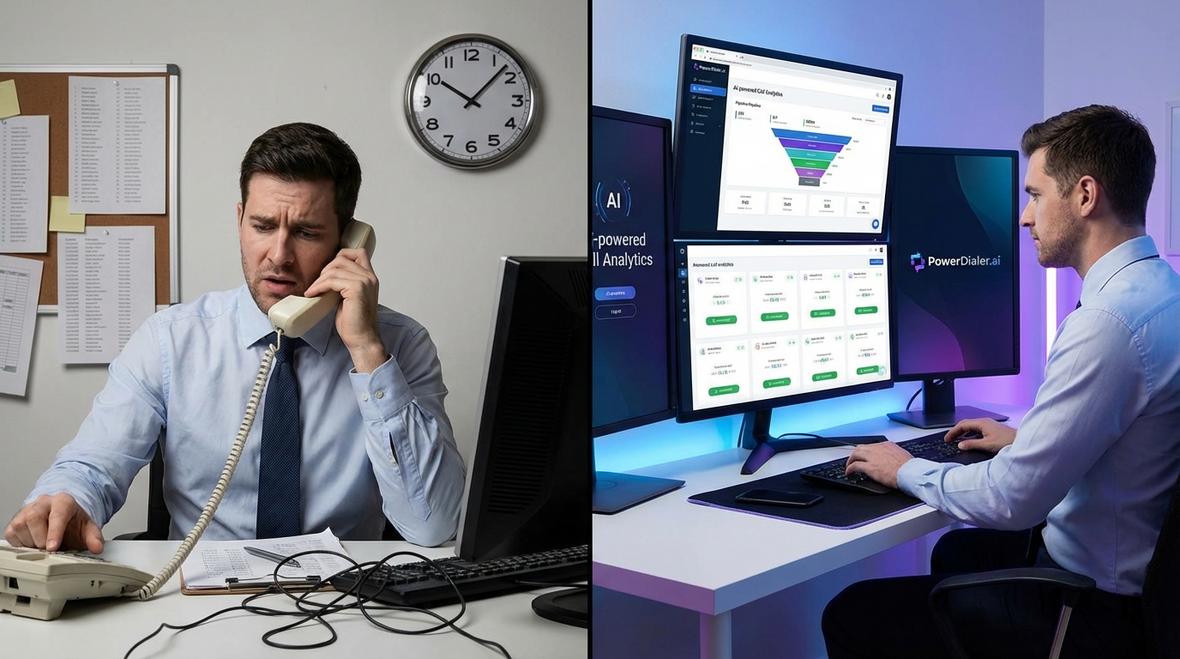
In the competitive world of B2B sales, efficiency is everything. Sales teams that rely on manual dialing waste precious hours navigating busy signals, voicemails, and disconnected numbers. This is where call dialing software comes into play. By automating the dialing process, these tools enable sales development representatives (SDRs), sales managers, and business owners to focus on what truly matters: engaging with prospects and closing deals.
According to research, cold calling delivers a $4.50 ROI per dollar invested, contributing over 50% of B2B leads. However, without the right technology, your team may struggle to reach enough prospects to capitalize on this opportunity. Modern call dialing software leverages AI, automation, and analytics to transform outbound sales, enabling teams to make 30-40% more calls than manual dialing approaches.
This comprehensive guide explores everything you need to know about call dialing software in 2026, from understanding different dialing modes to selecting the right solution for your business. Whether you work in B2B sales, healthcare, real estate, or financial services, you'll discover how the right dialer can revolutionize your sales workflow.
What Is Call Dialing Software?
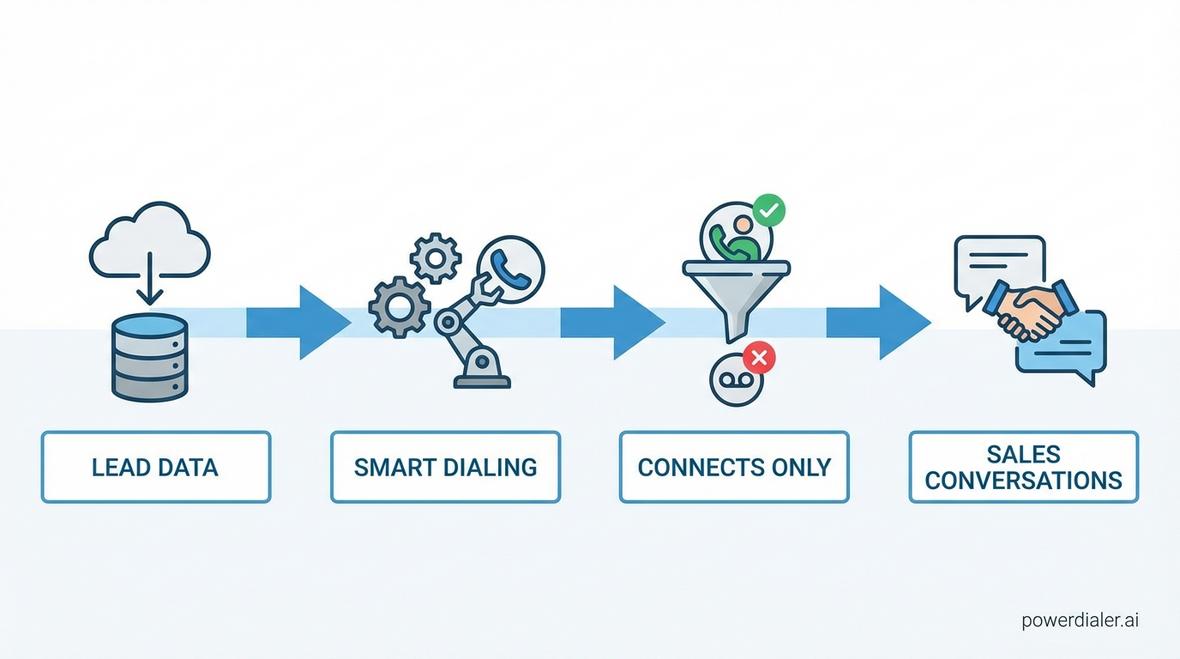
Call dialing software is a cloud-based or on-premise solution designed to automate the process of placing outbound calls to leads and prospects. Unlike traditional manual dialing, where sales reps dial each number individually, call dialing software streamlines this process by automatically connecting reps to live conversations.
These platforms integrate with CRM systems, lead databases, and sales engagement tools to provide a seamless workflow. They eliminate time spent on disconnected numbers, busy signals, and voicemails, allowing sales teams to have more meaningful conversations in less time.
Core Functionality
Modern call dialing software offers several key capabilities:
- Automated Dialing: The software dials numbers from a list automatically, removing manual effort.
- CRM Integration: Syncs with platforms like Salesforce, HubSpot, and Pipedrive to keep data centralized.
- Call Recording: Records conversations for training, compliance, and quality assurance.
- Analytics and Reporting: Provides insights into call volume, connect rates, and team performance.
- Voicemail Detection: Automatically detects voicemails and either drops a pre-recorded message or skips to the next call.
By combining these features, call dialing software enables sales teams to maximize productivity and improve their outreach effectiveness.
Types of Call Dialing Software
Not all call dialing software is created equal. Different dialing modes cater to specific sales strategies and team structures. Understanding these differences is crucial for selecting the right tool.
Power Dialers
A power dialer automatically dials the next number on your list as soon as you finish the current call. This one-at-a-time approach ensures that every connected call is handled by a live agent, making it ideal for personalized outreach.
Power dialers are perfect for SDRs conducting targeted outreach, complex sales cycles, and industries where personalized communication is critical. They provide a balance between automation and control, ensuring no lead is left unattended.
Parallel Dialers
A parallel dialer dials multiple numbers simultaneously and connects the agent only when a live person answers. This aggressive approach significantly increases connect rates and is ideal for high-volume outbound campaigns.
Parallel dialers work well for teams prioritizing speed and volume, such as appointment setters, lead generation teams, and industries with large prospect lists. However, they require careful compliance management to avoid violations of telecommunications regulations.
Predictive Dialers
A predictive dialer uses algorithms to predict agent availability and dial multiple numbers at once. When a call is answered, it's routed to the next available agent. This mode maximizes agent talk time and is commonly used in large call centers.
While predictive dialers are highly efficient, they can result in dropped calls if no agent is available when a prospect answers. This makes them less suitable for personalized sales outreach but excellent for high-volume operations.
Auto Dialers
Auto dialers, also known as robodialers, automatically dial numbers and play a pre-recorded message or transfer answered calls to an agent. They're often used for mass notifications, surveys, and appointment reminders.
However, auto dialers are subject to strict regulations under the Telephone Consumer Protection Act (TCPA), making them less ideal for cold calling without prior consent.
Key Features of Call Dialing Software
When evaluating call dialing software, look for features that align with your sales process and team needs. Here are the most important capabilities to consider:
AI-Powered Automation
Artificial intelligence is transforming call dialing software. AI enables sentiment analysis, natural language processing for scripting, and intelligent routing, helping sales teams engage more effectively with prospects.
AI-powered features include predictive analytics, automated call scoring, and real-time coaching prompts that guide reps through conversations. These capabilities enhance both efficiency and effectiveness.
CRM Integration
Seamless integration with your existing CRM is non-negotiable. Call dialing software should automatically log calls, update contact records, and sync activity data with platforms like Salesforce, HubSpot, or Pipedrive.
This integration eliminates manual data entry, reduces errors, and ensures your sales pipeline remains accurate and up-to-date.
Voicemail Detection and Drop
Voicemail detection automatically identifies when a call goes to voicemail and either skips to the next call or drops a pre-recorded message. This feature, available through solutions like ringless voicemail, saves time and ensures consistent messaging.
Local Presence Dialing
Local presence dialing displays a local area code to the prospect, significantly increasing answer rates. Research shows that prospects are more likely to answer calls from familiar area codes, making this feature essential for outbound sales success.
Analytics and Reporting
Comprehensive analytics provide visibility into team performance, call outcomes, and campaign effectiveness. Look for software that offers customizable dashboards, heatmap analytics, and real-time reporting to help you make data-driven decisions.
Compliance Management
Compliance with regulations like TCPA, GDPR, and STIR/SHAKEN is critical. Your call dialing software should include features like call recording consent, DNC list scrubbing, and time-zone-based dialing restrictions to keep your team compliant.
Benefits of Using Call Dialing Software
Implementing call dialing software delivers measurable benefits that directly impact your bottom line.
Increased Productivity
By automating the dialing process, sales reps can focus on conversations rather than dialing. Studies show that SDRs using CRM and automation tools make 30-40% more calls than those relying on manual dialing, significantly improving outbound efficiency.
Higher Connect Rates
Features like local presence dialing, parallel dialing, and optimal call timing increase the likelihood of reaching prospects. With an average cold call conversion rate of 2.35%, every additional connection matters.
Improved Sales Coaching
Call recording and AI sales coaching capabilities enable managers to provide targeted feedback and training. Real-time monitoring allows for immediate course correction, helping reps refine their pitch and objection-handling skills.
Better Data and Insights
Comprehensive analytics reveal patterns in call performance, helping teams identify the best times to call, the most effective messaging, and areas for improvement. This data-driven approach enables continuous optimization of your sales process.
Scalability
Cloud-based call dialing software scales effortlessly as your team grows. Whether you have five reps or five hundred, modern dialers accommodate your needs without requiring significant infrastructure investments.
Choosing the Right Call Dialing Software
Selecting the right call dialing software depends on your specific needs, budget, and sales strategy. Here's what to consider:
Assess Your Sales Process
Determine whether your team prioritizes personalized outreach or high-volume dialing. For personalized sales, a power dialer is ideal. For aggressive lead generation, consider a parallel or predictive dialer.
Evaluate Integration Capabilities
Ensure the software integrates with your existing tech stack, including your CRM, sales engagement platform, and analytics tools. Native integrations reduce manual work and improve data accuracy.
Consider Compliance Requirements
If you operate in regulated industries like healthcare or financial services, prioritize software with robust compliance features.
Review Pricing and ROI
Compare pricing models and calculate the potential ROI based on increased productivity and connect rates. Remember that the cheapest option isn't always the most cost-effective in the long run.
Test With a Trial
Most reputable vendors offer free trials or demos. Use this opportunity to test the software with your team and evaluate its usability, features, and support quality.
PowerDialer.ai: A Leading Call Dialing Solution
PowerDialer.ai offers a comprehensive suite of dialing modes, AI-powered features, and integrations designed to maximize sales efficiency. Whether you need a power dialer for personalized outreach or a parallel dialer for high-volume campaigns, PowerDialer.ai provides the flexibility to match your strategy.
Key features include:
- Multiple Dialing Modes: Power, parallel, and predictive dialing in one platform.
- AI Sales Coach: Real-time prompts and post-call analysis to improve rep performance.
- CRM Integrations: Native connections with Salesforce, HubSpot, Pipedrive, and more.
- Compliance Tools: Automated DNC scrubbing, call recording consent, and TCPA compliance.
- Advanced Analytics: Heatmaps, performance dashboards, and custom reporting.
PowerDialer.ai serves a wide range of industries, from real estate and pharma to legal and HVAC services. Its flexible pricing and robust feature set make it a top choice for sales teams of all sizes.
Best Practices for Using Call Dialing Software
To maximize the value of your call dialing software, follow these best practices:
Maintain Clean Data
Regularly update and clean your contact lists to avoid wasting time on disconnected numbers or outdated information. Integrate with lead enrichment tools to ensure data accuracy.
Optimize Call Timing
Use analytics to identify the best times to reach your target audience. Timing can significantly impact connect rates and conversion outcomes.
Personalize Your Approach
Even with automation, personalization matters. Use CRM data to tailor your messaging and demonstrate genuine interest in solving the prospect's problems.
Monitor and Coach Regularly
Leverage call recording and real-time monitoring to provide ongoing coaching. Regular feedback helps reps improve their skills and confidence.
Stay Compliant
Keep up with evolving regulations and ensure your team follows best practices for consent, call recording, and DNC list management.
Frequently Asked Questions
What is the difference between a power dialer and a parallel dialer?
A power dialer dials one number at a time, connecting the agent only after the call is answered. A parallel dialer dials multiple numbers simultaneously and connects the agent to the first live answer. Power dialers prioritize quality and control, while parallel dialers maximize speed and volume.
Is call dialing software compliant with TCPA?
Most reputable call dialing software includes compliance features like DNC list scrubbing, time-zone-based restrictions, and call recording consent. However, it's the user's responsibility to ensure compliance with all applicable regulations.
Can call dialing software integrate with my CRM?
Yes, most modern call dialing software offers native integrations with popular CRMs like Salesforce, HubSpot, Pipedrive, and Zoho. These integrations sync call data, update records, and eliminate manual data entry.
How much does call dialing software cost?
Pricing varies based on features, dialing modes, and the number of users. Basic plans start around $30 per user per month, while enterprise solutions can exceed $150 per user per month. Many vendors offer free trials to help you evaluate ROI before committing.
What industries benefit most from call dialing software?
Call dialing software benefits any industry that relies on outbound sales, including B2B sales, real estate, healthcare, financial services, legal, HVAC, car dealerships, retail, education, and marketing. Each industry can customize the software to fit its unique needs.
Conclusion
Call dialing software is no longer a luxury it's a necessity for sales teams that want to compete in 2026. By automating repetitive tasks, increasing connect rates, and providing actionable insights, these tools empower SDRs, sales managers, and business owners to achieve their revenue goals faster and more efficiently. Whether you choose a power dialer, parallel dialer, or predictive dialer, the right solution will transform your outbound sales process. Explore options like PowerDialer.ai to discover how advanced dialing technology can elevate your team's performance and drive measurable results.